Showing posts with label SANtricity. Show all posts

Tuesday, April 1, 2014

SANtricity Walkthough


 Quick walkthrough for anyone unfamiliar with SANtricity.  Names have been changed to protect the innocent, I apologize for the mspaint job but hey, this is a free blog!  You get what you pay for!
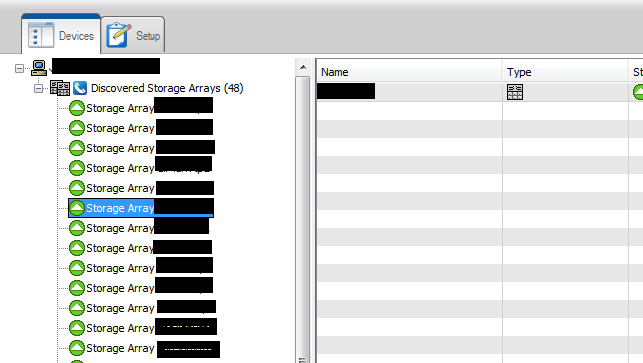

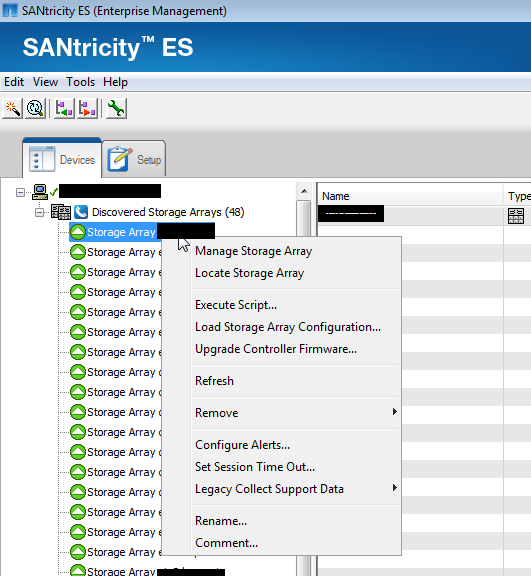
1. SANtricity home page

2. Right click an array.  Click manage.
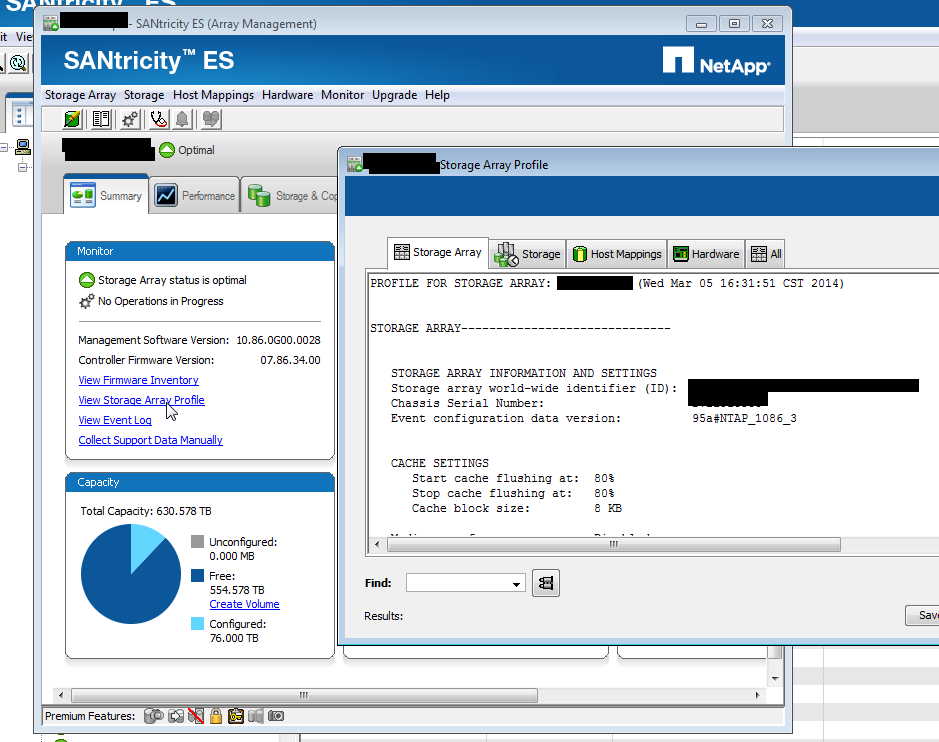
3. Click “view storage array profile.”  You’ll see the chassis SN. These are sometimes missing, sometimes strange combos of letters and numbers, sometimes 70xxxx like FAS systems  When we fix the environment, they’ll all be 70xxx.

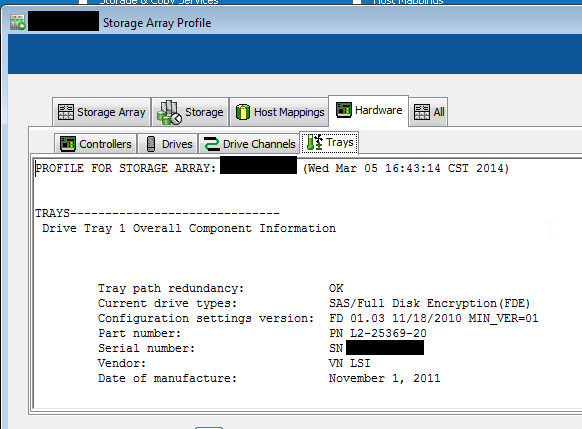
4. SANtricity tells you if the system is properly cabled:
"Tray path redundancy"


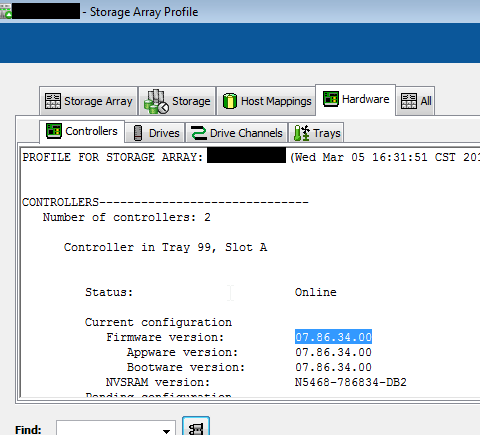
5. Click hardware tab.  You’ll see the controller firmware version.

6. Exit the view storage array profile.  Click hardware tab. 
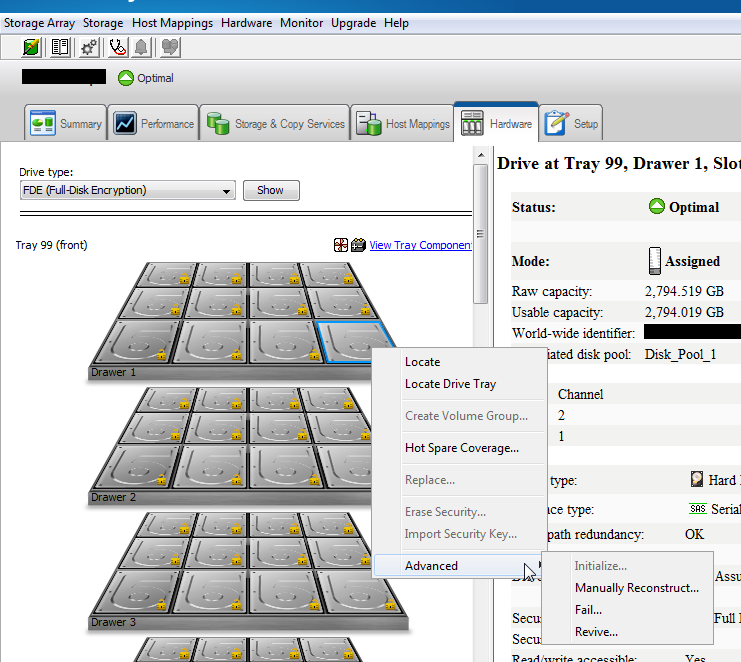
Right click a disk you see these options.  This is where you manually fail a drive.

Also notice the menu bar at top has changed: there are a ton of options up there, 
including performance monitoring.

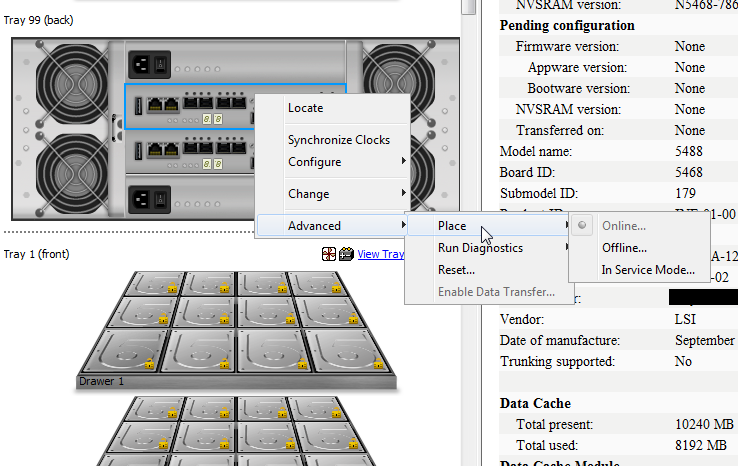
7. Scroll down, you’ll see the controllers.  Right click one, here are your options, 
like locate which blinks lights, or "place" gives you options to “fail over” the 
controller, reboot it, etc if it fails.


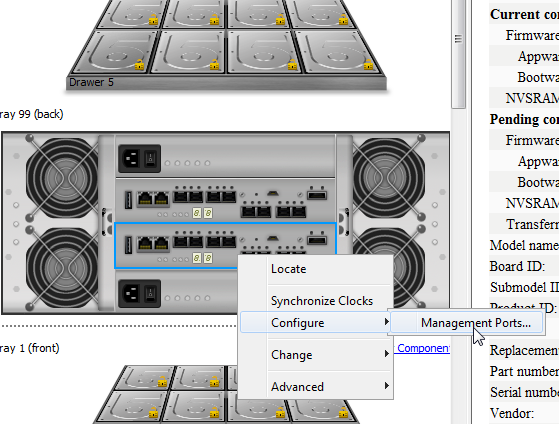
8. Configure lets you set the management port IP.


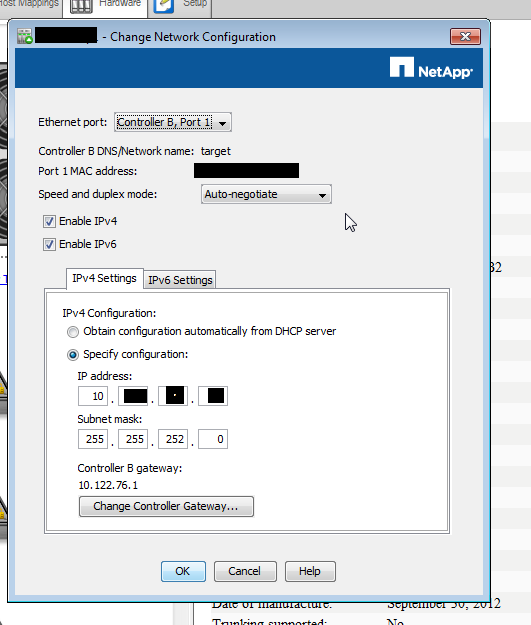
9. The port config window


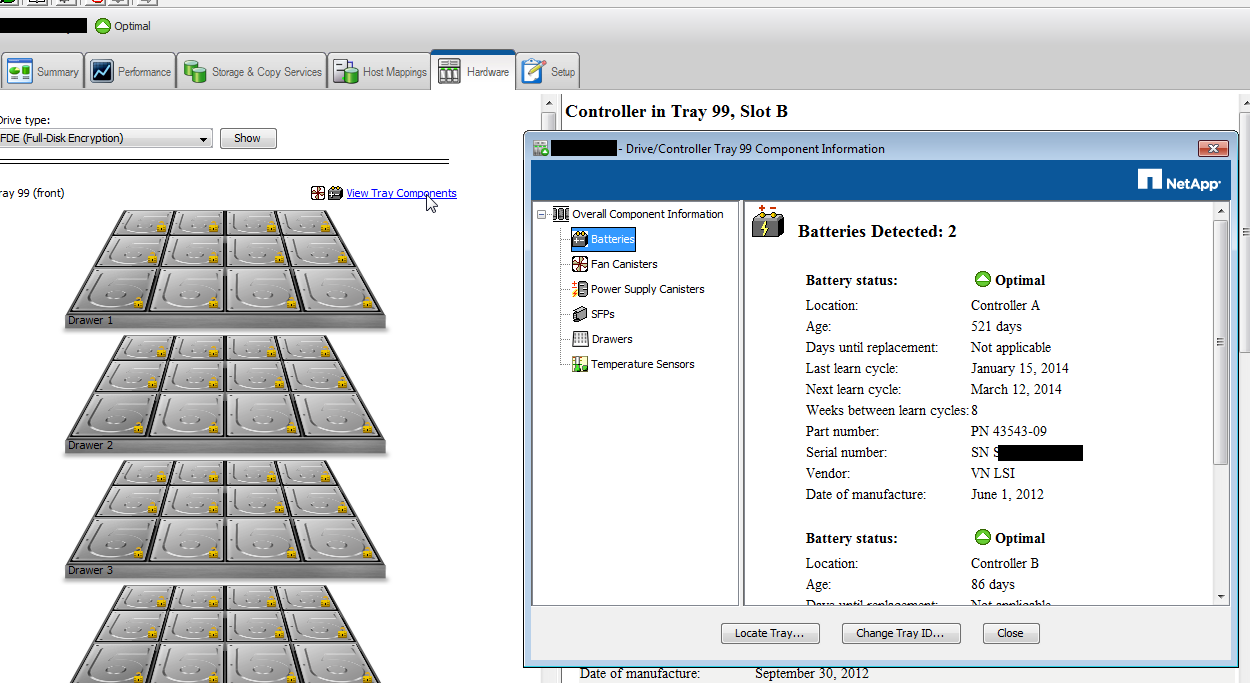
10.   The tray’s components and their status

E-Series Notes


We've been digging into E-Series as fast as humanly possible, here are some of the basic things that have bee tough to flush out:


  • Impending drive failures: the best practice is to fail the drive manually immediately before replacing it
  • Upgrades:
    • Best practice is to update NVSRAM and Controller Firmware (CFW) at the same time
    • Watch out!  The SANtricity will start running checks and try to upgrade all of the arrays if you do this wrong.  Be careful.  Luckily, it should ask for the array password before upgrading, which gives you a chance to cancel.  
    • If you open the array, go to storage, right click the system, you'll find an "upgrade" option where you can update just that system.  Use this!
    • A precheck is run automatically to detect possible upgrade issues.
    • CFW upgrades are non-disruptive and should take 5-15 minutes per array
    • NetApp recommends not updating disk firmware unless you have a specific reason to
  • Changing array password if you forget it: https://kb.netapp.com/support/index?page=content&id=1013311&actp=search&viewlocale=en_US&searchid=1395157054885
  • Cabling document: https://library.netapp.com/ecm/ecm_get_file/ECMP1394868
    • Looks like each array model has a different cabling schema.
  • E-Series systems have default IP's on 
  •  Default Username: shellUsr, Default Password: wy300&w4